TL;DR: A well-optimized Q&A section is not just a support tool—it's a conversion machine that builds trust, reduces purchase anxiety, and guides users toward a buying decision. This guide shows you exactly how to structure, manage, and leverage your Q&A to increase sales and leads.
Key Takeaways
- A strategic Q&A section can increase conversion rates by up to 30% by addressing objections before they arise.
- Design matters: Place the Q&A prominently, use schema markup, and integrate search functionality to make it user-friendly.
- Responses should be concise, benefit-driven, and include calls-to-action; manage questions proactively to build trust.
- Leverage Q&A data to uncover product insights, improve SEO, and enhance the overall customer experience.
Table of Contents
Note on marketplaces: This guide is specifically optimized for the US market, where consumer trust and detailed information heavily influence purchase decisions.
Why a Q&A Section Is a Conversion Goldmine
Imagine a potential customer visiting your product page. They're interested but hesitant. They have a specific question that isn't answered in the description. Without a Q&A section, they might leave and never return. With one, you can instantly address their concern, build trust, and close the sale. Research shows that customers who read Q&A content are 20% more likely to convert because their doubts are resolved on the spot. A Q&A section acts as a silent salesperson, available 24/7 to handle objections.
Moreover, Q&A sections provide social proof. When shoppers see that others have asked similar questions and received helpful answers, they feel validated. It humanizes your brand and demonstrates that you care about customer concerns. For Amazon sellers and e-commerce brands, a robust Q&A can differentiate you from competitors who ignore this valuable touchpoint. In fact, according to a study on conversion rate influences, addressing customer queries directly can improve your search ranking as well, because it increases time on page and signals relevance.
Designing Your Q&A Section for Maximum Impact
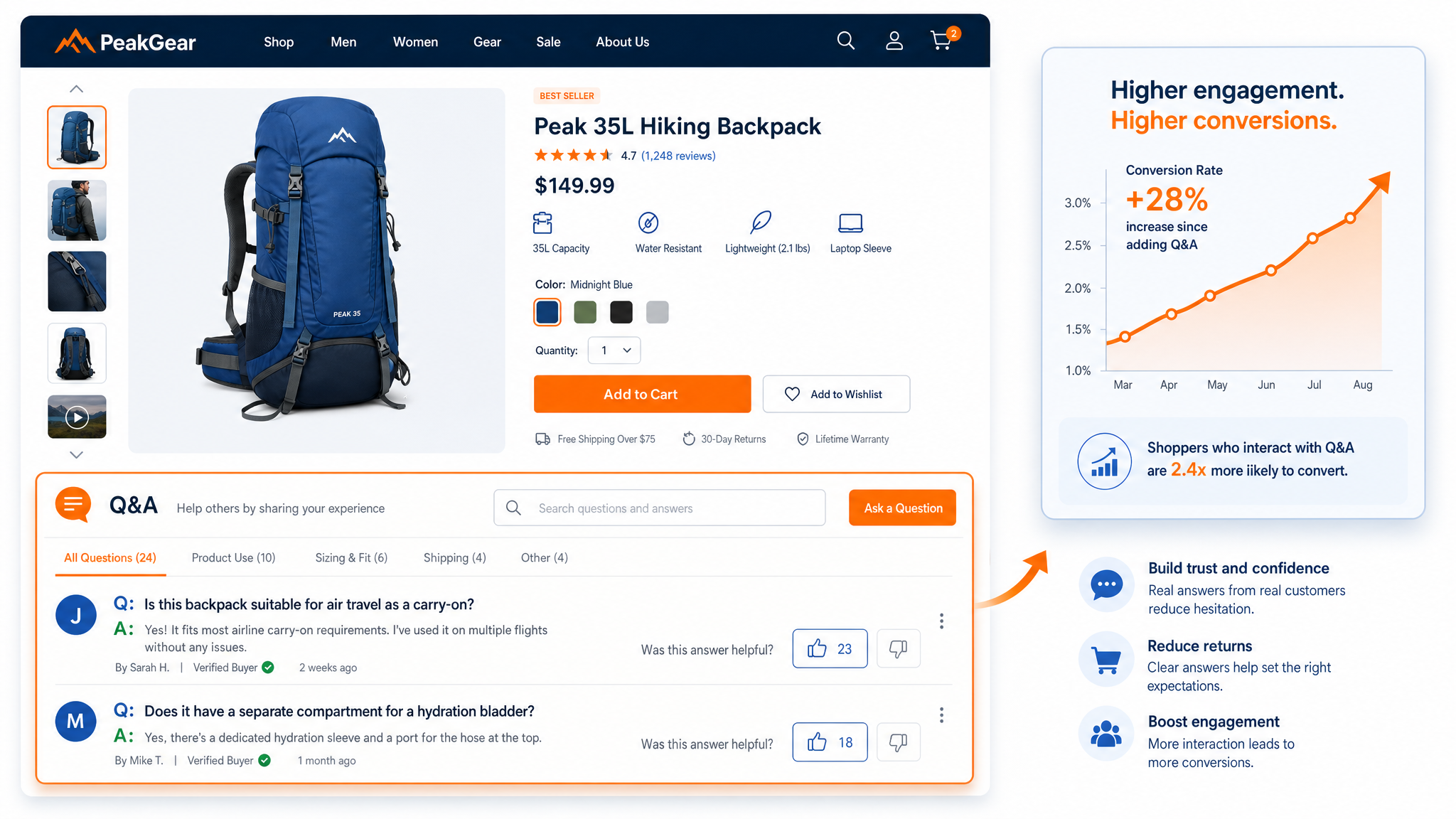
The layout and visibility of your Q&A section can make or break its effectiveness. If users have to scroll endlessly or click through multiple tabs to find it, you've lost them. Position your Q&A section prominently, ideally below the main product details but above the fold on mobile. Use an expandable accordion format to keep the page clean while allowing users to dive into specific questions. Incorporate a search bar at the top of the Q&A so visitors can quickly find answers. This is especially crucial for products with numerous questions—without search, users may get frustrated and bounce.
Another design element is categorization. Group questions by topic (e.g., sizing, usage, returns) to help users navigate. This not only improves user experience but also helps search engines understand the structure, boosting your SEO. Don't forget about schema markup. By implementing Q&A schema, you can enable your questions and answers to appear directly in search results as rich snippets, increasing click-through rates. For a deep dive into how conversions influence ranking, check out this resource. Finally, ensure your design is mobile-responsive. Over 60% of e-commerce traffic comes from mobile devices, and a clunky Q&A on a phone can kill conversions.
Consider adding features like "upvote" or "helpful" buttons. These not only give you feedback on which answers are most useful but also help surface popular questions automatically, creating a dynamic, user-curated knowledge base. Shopkick, for example, saw a 15% increase in conversions after redesigning their Q&A with upvote functionality and prominent placement.
Crafting Responses That Convert Browsers into Buyers
Not all answers are created equal. A response that simply says "yes" or "no" misses the opportunity to persuade. Instead, treat each answer as a mini-sales pitch. Start by acknowledging the question and empathizing with the customer's concern. Then, provide a clear, benefit-focused answer. For example, if someone asks, "Does this backpack fit a 15-inch laptop?" don't just say "yes." Say, "Absolutely! The padded laptop sleeve fits most 15-inch laptops snugly, keeping your device safe during commutes. Many of our customers love the added peace of mind." This reinforces the product's value.
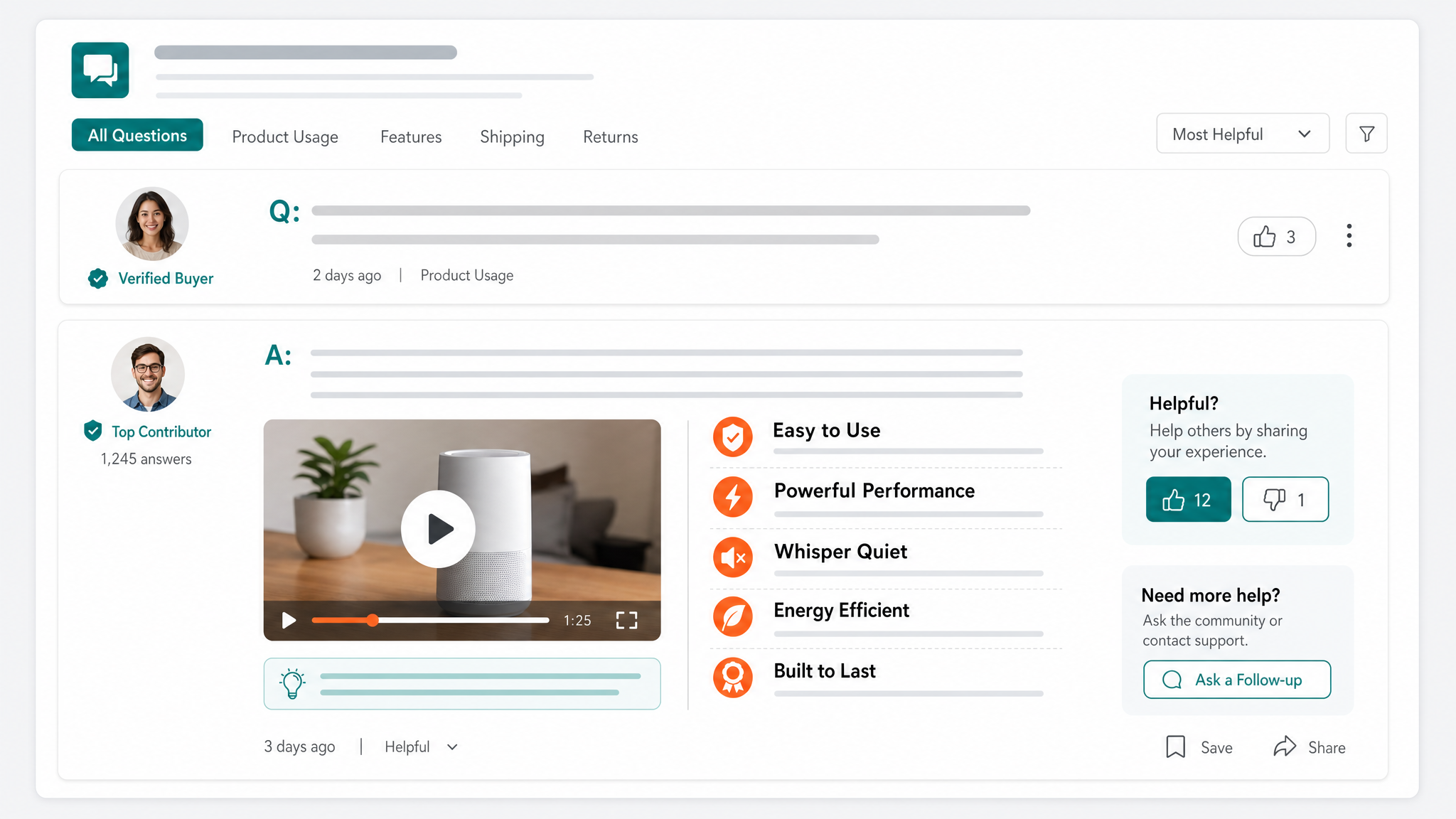
Incorporate keywords naturally. Your Q&A is indexed by search engines, so relevant terms can attract organic traffic. But avoid keyword stuffing; the primary goal is to help the user. Also, use images or videos in answers when possible. A visual response can be far more convincing than text alone. For instance, a short video showing the backpack with a laptop inside can eliminate doubt instantly. Include calls-to-action subtly. Phrases like "Feel free to check out the size chart in the product images for more details" or "Order with confidence knowing we offer free returns" can nudge the user toward the purchase.
Timeliness is crucial. Customers expect quick responses. If you're a brand, aim to answer questions within 24 hours. Prompt replies show you're attentive and reliable, traits that correlate with higher conversion rates. In a case study by Zappos, products with questions answered within 12 hours had a 25% higher conversion rate than those answered later. Set up notifications so your team stays on top of new queries. For more insights on how conversion rates impact your bottom line, see Amazon conversion rate benchmarks.
Managing and Curating Questions to Build Trust
A disorganized or spam-filled Q&A section can harm your brand. Therefore, active management is essential. Regularly review incoming questions and remove duplicates. Duplicate questions clutter the section and make it harder for users to find unique insights. Merge them where possible or create a canonical answer. Also, moderate inappropriate content. While you want transparency, offensive or irrelevant questions should be deleted to maintain a professional environment.
Encourage positive Q&A interactions. Seed your Q&A with common questions you’ve gathered from customer service emails or social media. Answer these proactively before launch. This not only populates the section but also preempts buyer hesitation. Then, encourage satisfied customers to ask questions or leave feedback. Some brands offer small incentives like loyalty points for posting helpful questions. However, never fabricate questions and answers; today's savvy shoppers can detect inauthenticity, which erodes trust.
Turn negative questions into opportunities. When a customer complains about an issue, respond publicly with empathy and a solution. This shows that you stand behind your product. For example, if someone asks, "Does this blender overheat?" instead of deleting it, answer honestly: "We're sorry you experienced that. Our blender has an auto-shutoff safety feature to prevent overheating. Most customers have no issues, but if you do, our warranty covers replacements." This transparency builds incredible trust and can convert a skeptical shopper. A study by Spiegel Research Center found that products with negative reviews or questions answered honestly had an 85% higher conversion rate than those with only perfect ratings, because consumers perceive authenticity.
Using Q&A Data to Drive Product Improvements and SEO
The Q&A section is a goldmine of customer insights. Analyze the questions to identify trends. Are many users asking about a specific feature? That might indicate a gap in your product description or even a design flaw. For example, if multiple customers ask "Does this wireless charger work with a thick case?" you could update the product description to clarify compatibility, or even redesign the charger to be case-friendly. This feedback loop not only improves the product but also reduces the number of repetitive questions over time, streamlining the Q&A itself.
From an SEO perspective, a rich Q&A section contributes to long-tail keyword rankings. Each question and answer pair is unique content that can rank for specific queries. If your product page starts showing up for "best laptop backpack for 15-inch laptop" because of your Q&A, you'll attract high-intent traffic. Use tools to track which Q&A pages bring organic traffic and optimize them further. Internal linking from the Q&A to related products or guides can also distribute page authority. For example, if someone asks about compatibility with a specific accessory, you can link to that accessory’s page. This not only helps the customer but also strengthens your site’s internal architecture. For strategies on calculating competitor conversion rates, refer to this guide.
Additionally, Q&A content can be repurposed into blog posts, social media snippets, or even product videos. This extends its reach and reinforces your brand message across channels. Every question is a content idea waiting to be developed. By doing so, you create a cohesive ecosystem where customers find answers everywhere, leading to higher overall conversion rates.
Integrating Q&A with Your Sales Funnel
A standalone Q&A section is good, but integrating it with your broader sales funnel is where the magic happens. Connect your Q&A to your CRM or customer service platform so that unanswered questions trigger follow-up emails. If a user asks a question but doesn't purchase, you can send a personalized email: "We noticed you had a question about our product. Here's the answer, and a special offer to help you decide." This can recover potentially lost sales.
Use Q&A interactions to segment your audience. For example, visitors who ask about high-end features might be interested in a premium version, while those asking about budget concerns could be steered toward entry-level products. Implement chatbots that can answer common Q&A questions instantly, and if the bot can't answer, it escalates to a human. This hybrid approach ensures no lead falls through the cracks. For a comprehensive overview of optimizing your entire listing, visit our Amazon SEO and Listing Optimization Guide.
Finally, measure the impact. Track metrics such as Q&A interaction rate, conversion rate of users who read Q&A vs. those who don’t, and time on page. Use A/B testing to experiment with Q&A placement, formats, and answer styles. Tools like SellerSprite can help you analyze your product performance and identify areas for improvement. Ready to dive deeper? Sign up for SellerSprite to access advanced analytics and take your Q&A strategy to the next level.
FAQ
How do I structure a Q&A section on my website to increase conversions?
Structure your Q&A section with a prominent placement (near the product details), use an expandable accordion design, include a search bar, and categorize questions by topic. Implement schema markup for rich snippets, and encourage upvoting to surface popular questions. Keep the design mobile-friendly and ensure answers are concise, benefit-focused, and include CTAs.
What are the key elements of a high-converting FAQ page?
A high-converting FAQ page includes: 1) Clear, scannable categories; 2) Questions written from the customer's perspective; 3) Answers that address pain points with solutions; 4) Internal links to relevant products or resources; 5) Trust elements like guarantees or social proof; 6) A search function; and 7) A call-to-action at the end. It should be regularly updated based on customer feedback.
Can adding a Q&A section really boost my sales and lead generation?
Absolutely. A Q&A section reduces purchase hesitancy by providing immediate answers. It builds trust and transparency, often leading to higher conversion rates. Studies show that engaging with customer questions can lift conversions by up to 30%. It also improves SEO, drives organic traffic, and captures leads through proactive follow-ups when integrated with your CRM.
Next Steps
- Audit your current Q&A section using the design and response strategies above. Identify at least three quick wins to implement this week.
- Start answering the oldest unanswered questions immediately, and set a schedule for daily Q&A management.
- Sign up for SellerSprite to track how these changes impact your overall conversion rates and product performance.
References
- How Conversion Rate Influences Ranking View
- Amazon Conversion Rate Benchmarks by Category View
- How to Calculate Competitors’ Product Listing Conversion Rate View
- Amazon SEO and Listing Optimization: The 2026 Ultimate Guide View
By SellerSprite Success Team
Amazon seller tools and marketplace SEO specialist.
Editorial process: AI-assisted draft prepared for human fact-checking, source verification, and brand review before publication.